


|
Name |
Shizuku |
|---|---|
|
Google Play Link |
GET IT ON
Google Play
|
|
Category |
Tools |
|
Developer |
Xingchen & Rikka |
| Last version | 13.5.4.r1049.0e53409 |
|
Updated |
|
|
Compatible with |
Android 7.0+ |
Introduction to Shizuku
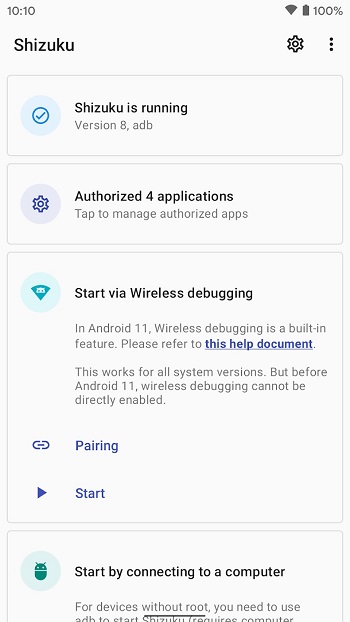
Ever wished your Android apps could do more without jumping through all those “root” hoops? Meet Shizuku—a utility app designed for people who want to give their phone a little extra power without risking the usual headaches. Shizuku lets certain apps tap into system-level features using a neat trick: it works through ADB (Android Debug Bridge) instead of asking you to root your phone. This means you get advanced control, but you still keep your phone’s security and stability right where you want it.
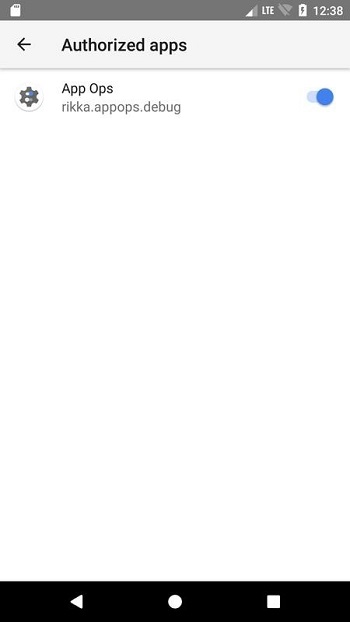
Shizuku stands out in the utility app crowd by helping users handle app permissions and controls usually reserved for rooted devices, but without breaking warranty rules or causing panic attacks when something goes wrong. Instead of rooting, it cleverly uses a one-time setup via your computer, so your phone can run apps that need special access—think things like App Ops or other permission managers—while keeping everything secure.
If you’ve ever wanted more control over your Android experience—tweaking settings, managing permissions, or running advanced apps—Shizuku is all about making that possible for regular users, not just tech pros. Its setup requires a little technical know-how (and a USB cable), but the pay-off is big for anyone tired of app restrictions or security worries. Plus, the in-app setup guide is clear enough that most people can follow along without rage-quitting halfway.
One thing that really makes Shizuku appealing? You don’t have to risk your device’s security. No strange downloads, no messing with the bootloader, no crossing your fingers hoping your device wakes up after a reboot. Everything runs above board, following Android’s security rules. That makes it a perfect pick for those who want more flexibility, but also care about safety and stability.
The app’s design is practical: it isn’t loaded with distractions or unnecessary features. Instead, it’s focused on giving you access to system-level features in a way that’s easy to control. If you’re into customizing your Android, or just like the idea of managing permissions without rooting, Shizuku is a tool you’ll appreciate. It keeps things clean, fast, and, most importantly, reversible if you ever want to turn things off.
Since its first release back in 2017, Shizuku has continued to grow—now supporting Android 7.0 and up, and hitting over 10 million downloads. That’s not just a sign of popularity, but proof that people genuinely find it useful. The development is open-source, with updates coming regularly, and the community around it is supportive (especially if you ever get stuck or have questions).
If you’ve been curious about ways to get more out of your Android, or you just want to run a few apps that ask for permissions you can’t normally grant, Shizuku is worth a look. It’s smart, reliable, and designed with people in mind—offering real control without taking risks.
FAQs Shizuku
What is Shizuku and how does it work?
+
Shizuku is a utility app for Android that lets you grant advanced app permissions and controls using ADB, without the need to root your device.
Can I use Shizuku on my phone if it’s not rooted?
+
Yes, Shizuku is specifically designed to give you more app control on non-rooted devices by leveraging ADB through a one-time setup with your computer.
Is Shizuku safe for my device and personal data?
+
Shizuku operates within Android’s security framework and doesn’t require risky modifications, keeping your device secure while enabling more features.
Who would benefit from using Shizuku?
+
Anyone who wants extra control over app permissions, especially power users and those running tools like App Ops, will find Shizuku super useful.
What are the main steps to set up Shizuku on Android?
+
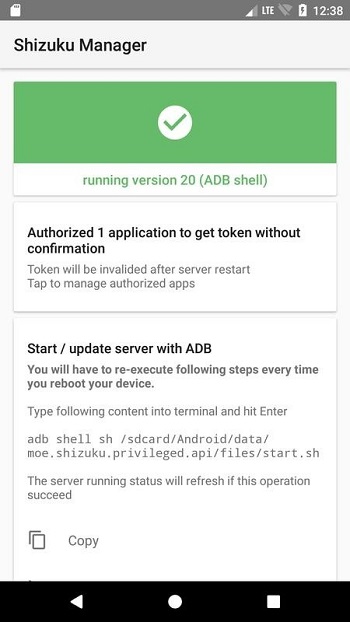
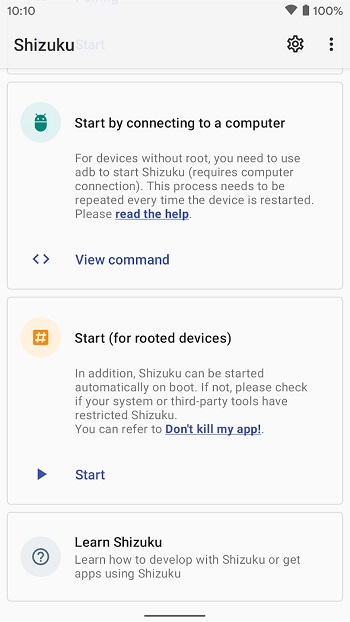
To set up Shizuku, you’ll connect your phone to a computer and run a simple ADB command as guided by the app, allowing system-level privileges safely.
Discover More Interesting Apps
-

Theick.io
v0.4.8
29 MB
Updated -
Mod
Remote Mouse Pro
v5.306
63 MB
Updated -
Mod
TLS Tunnel
v7.2.6
27.95 Mb
Updated -
Ace Stream
v3.2.19.5
107.59 Mb
Updated -
90 FPS
v11.4
16.02 Mb
Updated -
Mod
Medix
v1.4.0
69.80 Mb
Updated -
Mod
Multi App
v2.7.0
37.47 Mb
Updated -
Sophon
v1.0.54.1
65.80 Mb
Updated -
Mod
SWAP - No ROOT
vv4.8.8
8.41 Mb
Updated -
Ultimate USB
v10.1.1
71.06 Mb
Updated










Share Your Thoughts